
Zeo Fast Multi Stop Route Plan
Zeo BusinessMaps & Navigation
4.5763.00 Reviews
- Version
- 30.9
- Installs
- 1.00M
- Age Rating
- Everyone
Screenshots

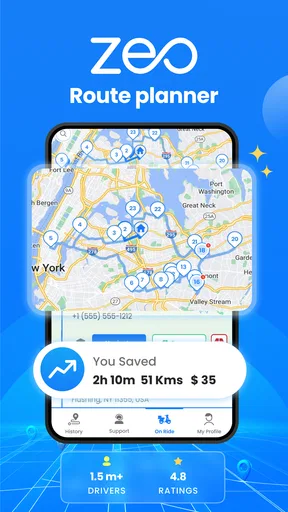
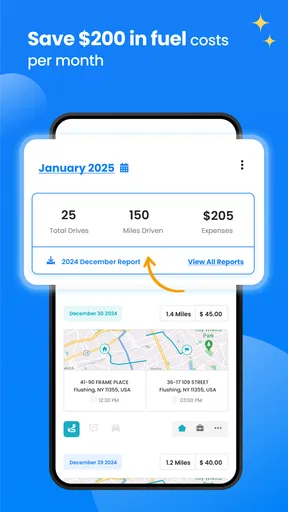
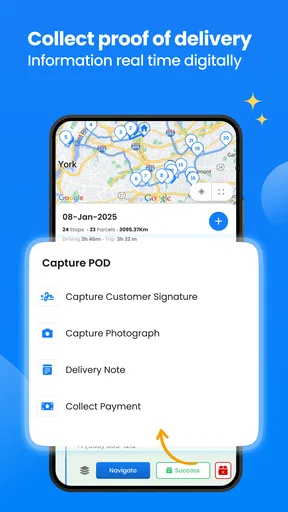
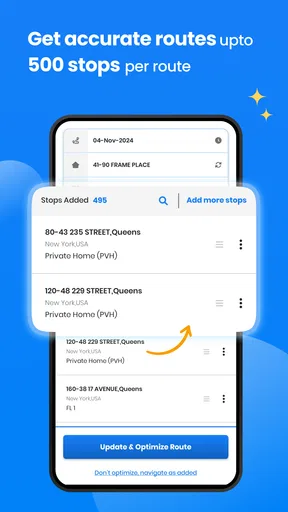
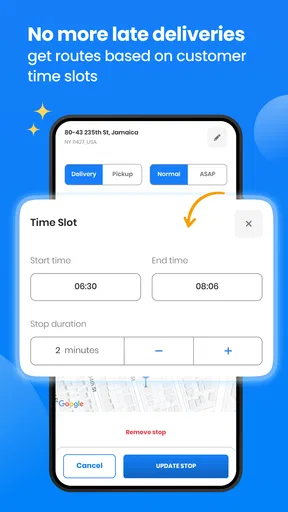
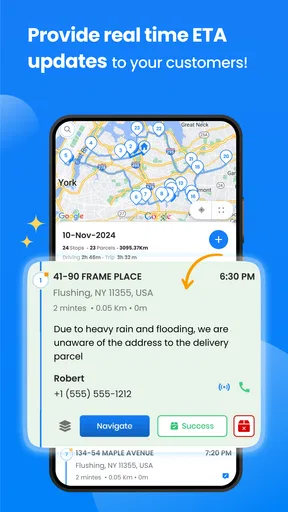
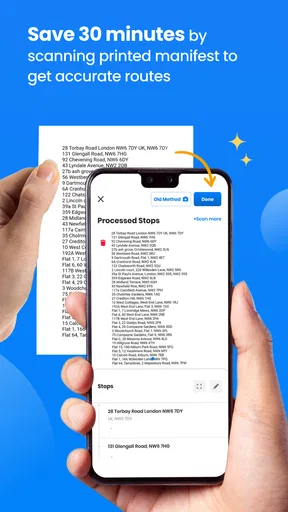
Our Review of Zeo Fast Multi Stop Route Plan
 Analysis by Appyee
The first few days with Zeo Fast Multi Stop Route Plan are easiest to appreciate when your day has a clear shape: several addresses, a limited window to reach them, and no appetite for manually piecing together directions. Instead of treating each destination as a separate trip, the app is intended to help organize a multi-stop journey. I see the appeal most clearly for people who repeat this kind of planning often, rather than someone who only needs a single destination now and then.
Where it fits into a working day
Imagine a courier with a handful of drop-offs across town, or a service worker visiting several customers before heading home. The useful question is not simply which road is shortest; it is how to turn a list of stops into a route that feels manageable. That is the problem Zeo is built around. It is a Maps & Navigation app from Zeo Business, and its focus on deliveries makes it more specialized than a general-purpose map that happens to offer directions.
It is also relevant to people outside delivery work. A salesperson arranging visits, a family planning several errands, or a traveler choosing a series of places to see can all benefit from thinking about the whole outing before setting off. The practical habit is to gather the addresses first, check that each one is correct, and then review the proposed order before driving. A route planner can save planning effort, but it cannot know that one appointment has a strict arrival time or that you want to stop for lunch before the next one unless you account for that yourself.
What route planning changes—and what it cannot
With ordinary navigation, I tend to enter one destination, follow the directions, and repeat the process at the next stop. That works well for a short trip, but it leaves the overall sequence in my hands. A multi-stop planner is more useful when the order is flexible and the day contains enough destinations that comparing every possible sequence would become tedious. Its value is less about replacing all map apps and more about handling a particular planning job in one place.
There is a trade-off here. The best route in theory is not always the best route for a real person. A scheduled visit, a preferred starting point, a familiar road, or the need to collect something before making deliveries may matter more than minimizing distance. I would treat an optimized route as a sensible starting point, not an instruction to follow blindly. Before leaving, check that the sequence fits your actual commitments and make changes when your priorities matter more than the route calculation.
One useful workflow is to plan the stops in a calm moment, then use navigation only once you are ready to travel. That gives you a chance to catch a mistyped address or an awkward stop order without doing it at the curb or behind the wheel. It also helps distinguish route planning from live decision-making: a prepared itinerary can organize the day, while changing road conditions may still require you to adapt as you go.
Your New Travel Buddy
First off, Zeo Fast Multi Stop Route Plan is designed to make your life easier by optimizing your travel routes. I was initially skeptical, as I often find these apps can be more hassle than help. But this one? It’s different. The user interface is clean and intuitive, which means you’re not spending ages trying to figure out how to add a stop or reroute. Just a few taps, and you’re on your way.
One of the coolest features I found was the ability to add multiple stops without any fuss. You can just input your destinations, and the app calculates the most efficient route. It’s perfect for sales reps, delivery drivers, or anyone who needs to hit several locations in one day. Trust me, it saves a ton of time.
Features That Stand Out
Let me break down some of the standout features that really caught my attention:
- Real-time Traffic Updates: The app provides real-time traffic data, so you’re always in the know. It reroutes you dynamically to avoid jams, which is a lifesaver during rush hour.
- Customizable Routes: You can adjust your routes to prioritize different factors like time, distance, or even avoiding tolls. It’s really flexible.
- Offline Mode: Sometimes, signal drops, but this app has your back. Download routes for offline use, and you’ll never be left stranded.
- Simple Interface: The minimalistic design means everything is just a tap away. No need to fumble around while driving.
Making a multi-stop plan practical
For a recurring route, I would keep a simple list of destinations outside the driving screen, grouped by the day or area I expect to cover. That makes it easier to enter a fresh set of stops without relying on memory, especially when several addresses look similar. I would also verify unit numbers and entrances before starting: a route planner can guide you to an address, but a business in a large complex may still require local knowledge to find the right door.
For errands, the app is most helpful when you can decide the order yourself. If one stop closes earlier than the others, put that constraint first in your thinking rather than assuming the shortest route will respect opening hours. The same goes for appointments. I would leave a buffer for parking, loading, and walking to the destination; a driving route does not account for every minute spent after arrival.
There is a good case for comparing the resulting plan with your usual navigation app before relying on it for an unfamiliar area. General map apps are often the better choice when you only need directions to one place or want a familiar map experience. A dedicated multi-stop planner becomes more compelling when the sequence itself is the hard part. Keeping both approaches available is not wasteful if each serves a different task.
Getting Down to the Nitty-Gritty
Now, you might be wondering about the nitty-gritty details. How does it perform under pressure? From my experience, the app is smooth and responsive. It didn’t crash or lag, even when I loaded it up with multiple stops. The loading times were quick, and the map was always up-to-date. It’s clear the developers put a lot of effort into ensuring the app runs seamlessly.
Moreover, the app’s battery consumption is surprisingly low, which is crucial for long days on the road. You won’t find yourself frantically searching for a charger halfway through your route.
Keeping the routine worthwhile
A route planner earns a lasting place on my phone only if it keeps solving a repeated annoyance. For someone who drives to many destinations several days a week, the time saved from avoiding manual route comparisons can add up in a practical sense, even if each individual trip is not dramatic. For an occasional weekend outing, that benefit may be too small to justify learning another workflow. The app is free to install, but in-app purchases range from $1.99 to $200.00 per item, so I would check what a paid option actually provides for my needs before spending anything.
The clearest way to judge the fit is to use it on a representative day, not a deliberately easy trip. Try a normal set of stops, inspect the proposed order, and notice whether planning feels simpler than your current method. If you only need one destination at a time, a standard navigation app will probably be quicker. If you regularly coordinate a route with several flexible stops, the specialized approach has a stronger chance of becoming a habit.
Who Is This App For?
If you’re someone who juggles multiple appointments or deliveries daily, this app is a game changer. It’s also great for road trips if you’re planning to hit several tourist spots in one go. Honestly, anyone who wants to make their travel more efficient will find value here.
It’s worth noting that while the app is free, there are premium features available. These are geared more towards professional users who need advanced functionalities, but the free version offers plenty to get you started.
Checking the fit before committing
The app is rated for Everyone, and it supports Android devices running version 5.0 or later. Its current version is 28.6, and it has passed one million installs, with an average rating of 4.5 from around 34,000 ratings and 756 written reviews. Those figures suggest that many people have tried it, but they cannot tell you whether its planning style suits your own workday. I would focus on whether adding and reviewing stops feels natural for the routes you actually drive.
If your routes are planned by an employer or dispatch system, check that this app fits the process you are expected to follow before making it your main tool. If you need a map for walking, transit, or a single destination, a broader navigation app may be a better match. Likewise, if your stops change constantly, the real test is whether updating the plan remains less troublesome than handling each destination separately.
The main source of fatigue with any route-planning routine is upkeep. Addresses need to be entered correctly, stop order needs to reflect real priorities, and an unexpected change can make a carefully arranged plan less useful. I would avoid building a complicated process around the app until I knew it saved effort on ordinary days. Keep the plan simple enough to revise, and let the app handle route organization rather than expecting it to manage every part of a busy schedule.
So, what’s the verdict? Zeo Fast Multi Stop Route Plan is a fantastic tool for anyone looking to optimize their travel routes. With its user-friendly interface and robust features, it’s a no-brainer addition to your app collection. Give it a try, and you’ll wonder how you ever managed without it.
My long-term take
I would recommend giving it a place in your routine if multi-stop driving is a regular part of your week and you are willing to review the route rather than follow it automatically. That is where its focused purpose can keep paying off after the novelty wears off: less time spent arranging a string of destinations by hand. If your trips are usually simple, or if another tool already fits your dispatch and appointment process, there is no need to force a change. For the right driver, it is a useful planning companion; for everyone else, it is a specialized option worth trying only when the stops start to pile up.
Verdict
Strengths of Zeo Fast Multi Stop Route Plan
- Efficient route optimization saves time.
- User-friendly interface for easy navigation.
- Integrates seamlessly with Google Maps.
- Customizable stops for personalized routes.
- Real-time traffic updates improve accuracy.
Limitations of Zeo Fast Multi Stop Route Plan
- Limited offline functionality.
- Occasional GPS signal issues.
- Ads can be slightly intrusive.
- Some features require a premium upgrade.
- Limited support for non-urban areas.
Similar Picks in This Category
View All
Uber - Request a ride
Uber Technologies, Inc.4.7


inDrive. Rides with fair fares
® SUOL INNOVATIONS LTD4.8

Yandex Go: Taxi Food Delivery
Mikromobilnost LLC Belgrade4.8

Bolt: Request a Ride
Bolt Technology4.8

Rapido: Bike-Taxi, Auto & Cabs
Rapido Bike Taxi4.8
Frequently Asked Questions
What is Zeo Fast Multi Stop Route Plan used for?
Zeo Fast Multi Stop Route Plan is designed to optimize your travel routes by allowing users to input multiple destinations. It calculates the most efficient path, saving time and fuel. Ideal for delivery drivers, sales representatives, or anyone needing to visit several locations in one trip.
Can Zeo Fast Multi Stop Route Plan work offline?
Zeo Fast Multi Stop Route Plan primarily requires an internet connection to access map data and calculate routes. However, once a route is planned, it can be accessed offline. It's recommended to download maps for offline use if you anticipate needing access without connectivity.
How user-friendly is the Zeo Fast Multi Stop Route Plan interface?
The app boasts a user-friendly interface that simplifies route planning with intuitive controls and clear navigation prompts. Even users who are not tech-savvy will find it easy to input destinations and view their optimized routes. The clean design ensures a smooth user experience.
Does Zeo Fast Multi Stop Route Plan offer real-time traffic updates?
Yes, the app provides real-time traffic updates to help users adjust their routes as needed. By incorporating live traffic data, it ensures that your travel plans remain efficient, avoiding congested areas and minimizing delays. This feature is crucial for time-sensitive journeys.
Is customer support available for Zeo Fast Multi Stop Route Plan?
Zeo Fast Multi Stop Route Plan offers comprehensive customer support through various channels, including email and in-app chat. Users can access FAQs and support documentation directly from the app. The responsive support team is available to assist with any issues or questions.
